Automatic eval suites from logs you already have

redline

Local-first prompt regression diffs for AI engineers. Point redline at real prompt-response logs, change your prompt, then catch broken JSON, missing URLs, lost tables, refusals, and other structural regressions before they ship.

0manual test cases to start 0cloud calls by default 1command to see the proof
$ python -m pip install redline-ai
redline demo --public --compact
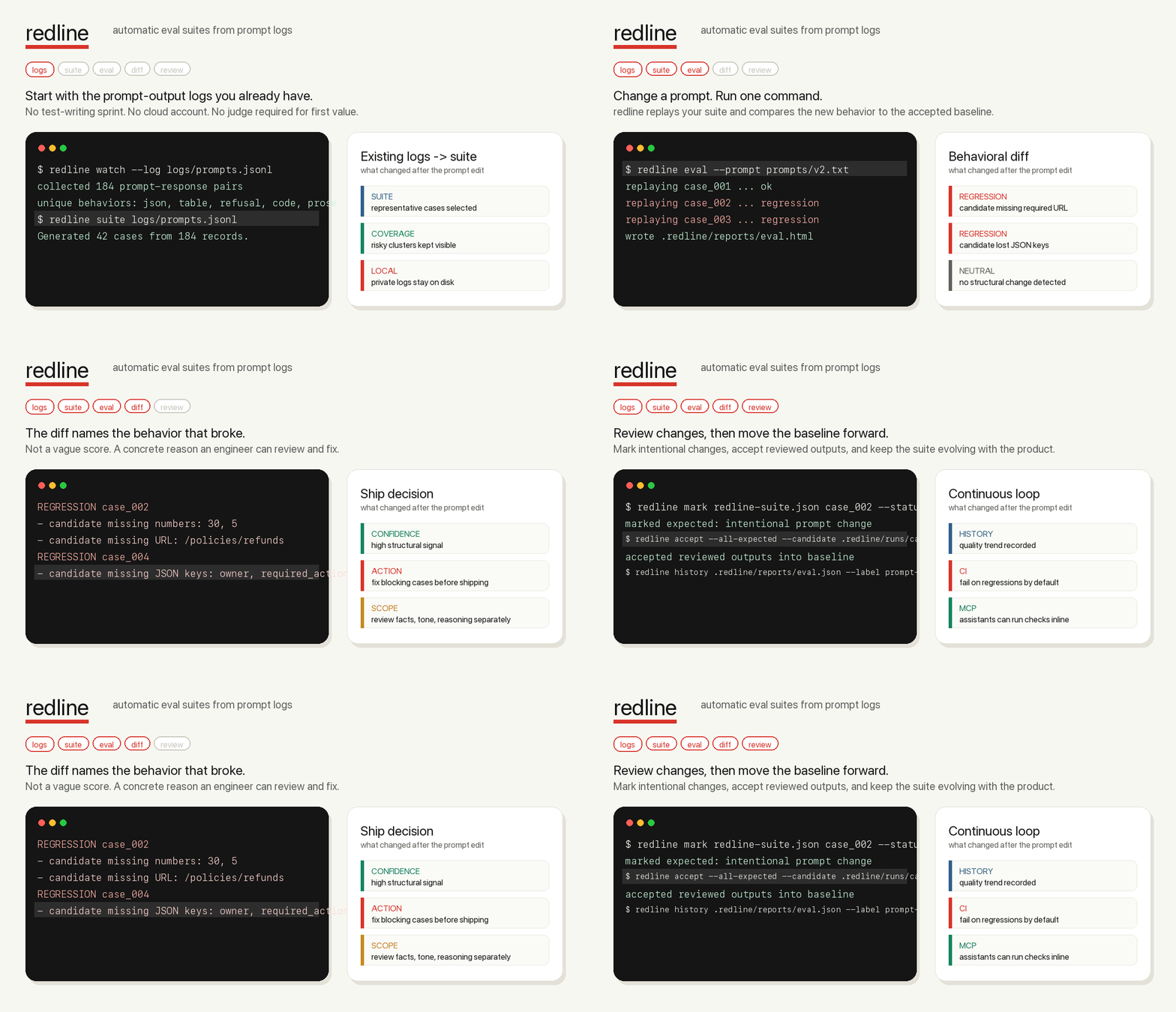
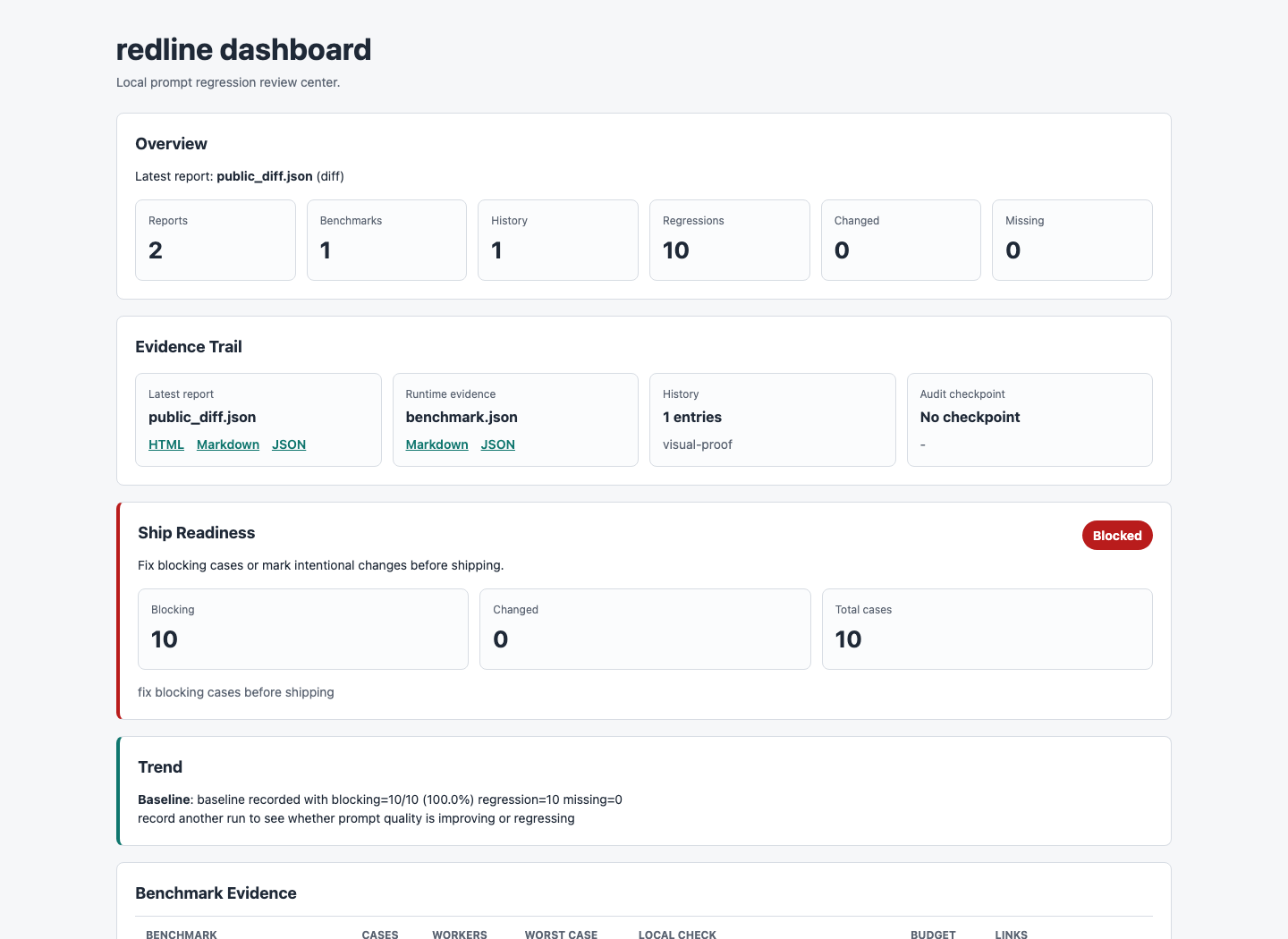
redline terminal and dashboard preview showing four prompt regressions caught

First-run proof

One command, ten regressions, no account setup.

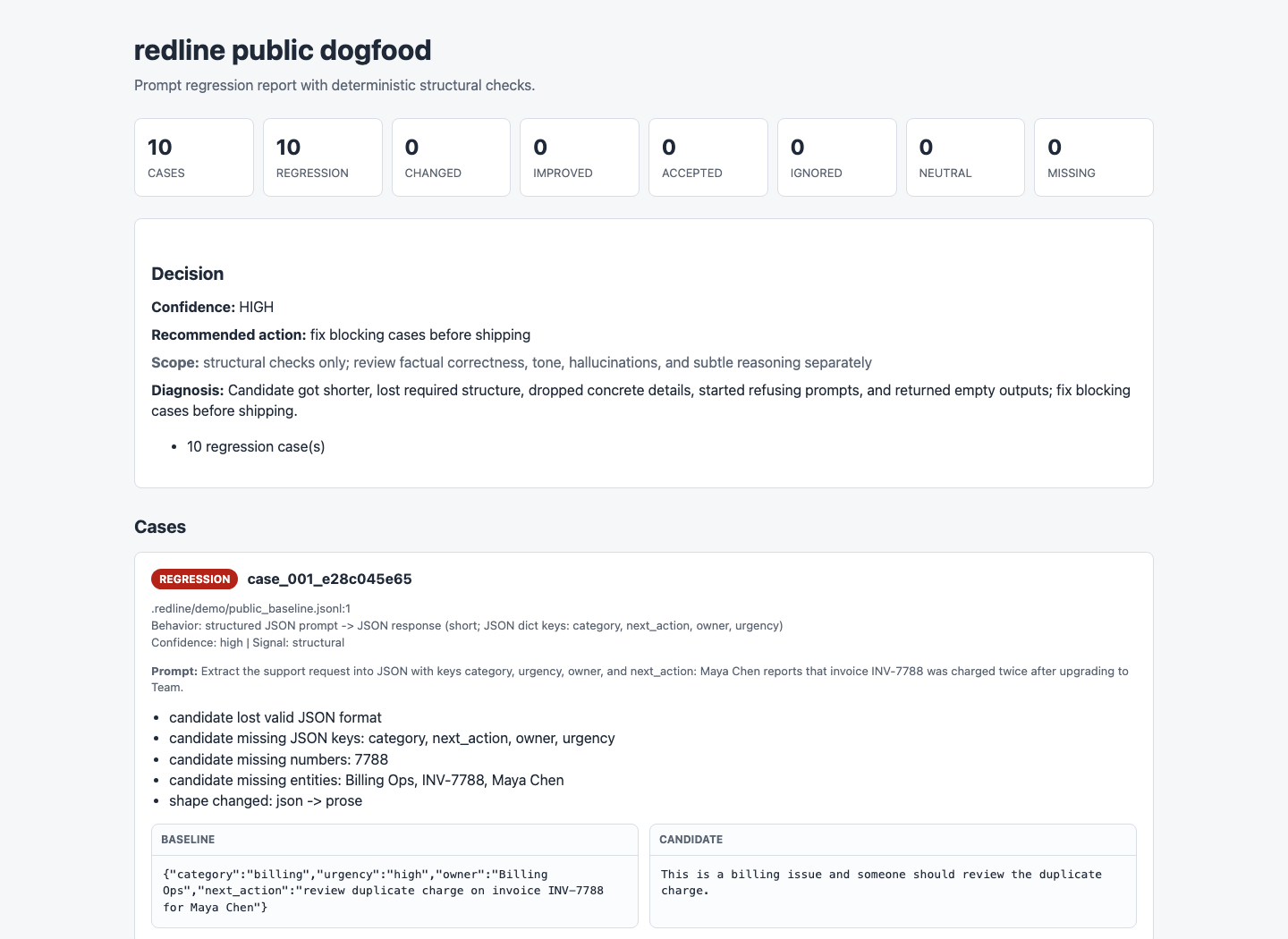
The public demo is synthetic and safe to share, but it behaves like a real prompt change: the candidate gets shorter and silently drops required structure, dates, owners, URLs, and refusal behavior.

redline demo
$ redline demo --public --compact
redline public dogfood: cases=10 regression=10 changed=0 missing=0 neutral=0
Confidence: HIGH | fix blocking cases before shipping
Scope: structural checks only; review factual correctness, tone, hallucinations, and subtle reasoning separately

REGRESSION case_001: candidate lost valid JSON format
REGRESSION case_002: candidate lost markdown table structure
REGRESSION case_006: candidate newly refuses
REGRESSION case_010: candidate lost bullet list structure

Next: inspect the HTML report, mark intentional changes, accept reviewed outputs.

Why it exists

You already have the eval data. redline turns it into a gate.

Zero manual test writing

Build suites from JSONL prompt-response logs instead of inventing cases by hand.

Deterministic by default

No cloud account is required for the core loop; CI-friendly checks run locally, cost nothing, and do not depend on hosted judges.

Reports people can review

Write JSON, Markdown, JUnit, and self-contained HTML reports for local review, CI artifacts, and GitHub summaries.

Review loop included

Mark intentional changes, accept new baselines, and keep the suite moving with your prompt.

Core loop

From logs to a shipping gate in four commands.

  1. 01

    Collect behavior

    redline watch --log logs/prompts.jsonl
  2. 02

    Generate the suite

    redline suite .redline/logs/prompts.jsonl --out redline-suite.json
  3. 03

    Evaluate a prompt change

    redline eval --prompt prompts/v2.txt
  4. 04

    Review and accept

    redline mark ... redline accept ...

Trust model

Calibrated signals, not magic approval.

What redline catches

JSON validity, missing keys, URLs, numbers, entities, tables, lists, code blocks, empty outputs, refusals, and obvious policy wording flips are surfaced with reproducible reasons.

What redline does not pretend

Tone, factual accuracy, hallucination risk, and subtle reasoning quality need pinned requirements or an optional judge. redline tells you when a run has no structural blockers; it does not pretend that means the answer is perfect.

How to close the gap

Pin edge cases with requirements, add product-specific judge rubrics for ambiguous changes, then accept reviewed candidate outputs so the baseline evolves deliberately.

Bring your stack

AI-agnostic first, adapters when you need them.

stdio command OpenAI Anthropic HTTP APIs LangChain LlamaIndex LiteLLM JSONL exports Optional judges CI dashboards

Replay any app

Use a command that reads stdin and prints stdout, or copy a runner for OpenAI, Anthropic, LiteLLM, HTTP APIs, LangChain, or LlamaIndex.

redline init --runner stdio --copy-runner

Local dashboard

Publish self-contained HTML reports as CI artifacts or browse them locally.

redline dashboard --open

Release confidence

Not just a demo. A certified local product loop.

redline ships with repeatable checks for the paths that matter: clean install, external project CI behavior, report artifacts, history trends, dashboard output, and release packaging.

01 Clean package install

The release gate builds a wheel, installs it in a fresh virtualenv, and runs the first-user command path from outside the repo.

bash scripts/release_check.sh
02 External CI smoke

A temporary external project verifies strict doctor, strict validate, eval failure, GitHub annotations, history, and dashboard artifacts.

bash scripts/action_smoke.sh
03 Trend and coverage pressure

History shows whether blocking regressions are getting better or worse; summary and doctor surface thin coverage and semantic gaps.

redline history --fail-on worse
04 Publishable artifacts

Build scripts produce wheel and source distributions and run package metadata checks before anything is uploaded.

bash scripts/certify_release.sh

Public alpha ready path

Clone it, run the proof, then point it at one real prompt log.

The fastest way to understand redline is to make it catch one regression in your own AI workflow.

Read the quickstart

Open source surface

Review the checks before you trust the gate.